
Hub managers
Components
Most components carry a set of options. They decide what the component offers a visitor, what its defaults are, and — for components that talk to something outside the hub — the connection details it needs. Options belong to one component and affect nothing else.
This is the screen a manager opens most often, because it is where a component's behaviour actually lives. When somebody says "the hub is emailing the wrong person about new support tickets", the answer is not in the global configuration and not in the code: it is Notify when ticket created, in the Support component's options, which defaults to the site's From address and is usually still pointing at whoever installed the hub.
What options are not
They are not the switch that makes the component exist. A component that has been disabled in the Extension Manager is gone from the administrator menu, options and all.
They are not what puts the component on the site either. A visitor reaches a component through a menu item; the options only decide how it behaves once they are there.
Opening a component's options
- Sign in to the administrator interface.
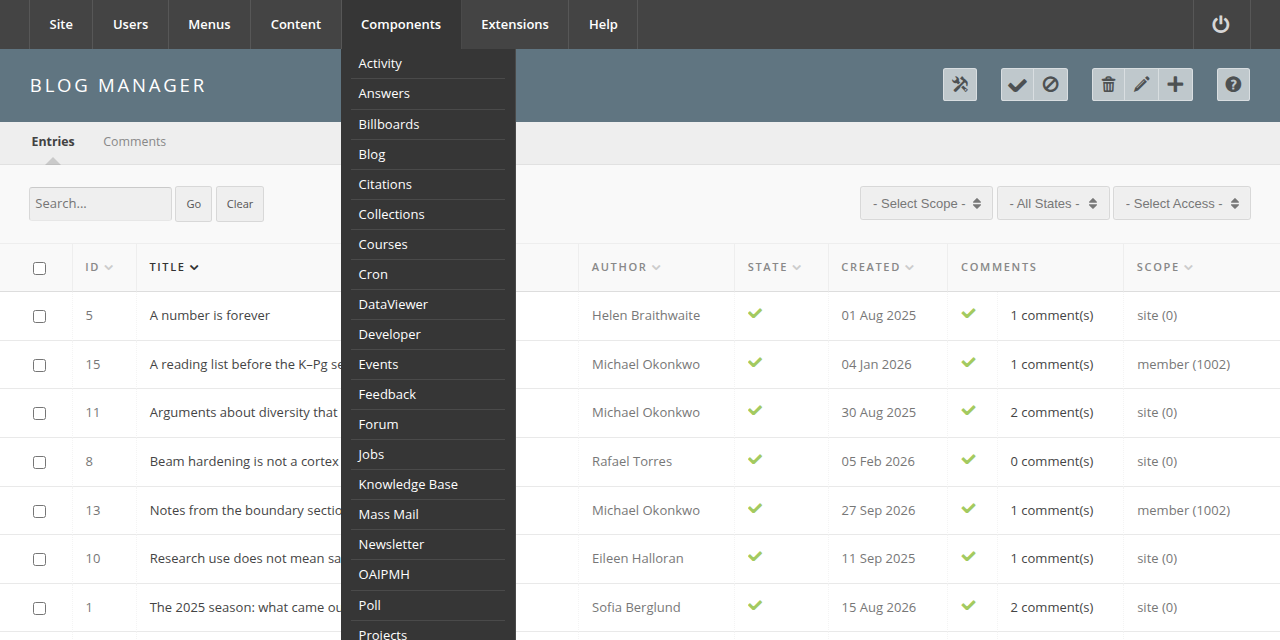
- Choose the component from the Components menu. Members, Groups, and System are not listed there; they have their own places in the menu.
- Select Options in the toolbar, at the top right of the screen.
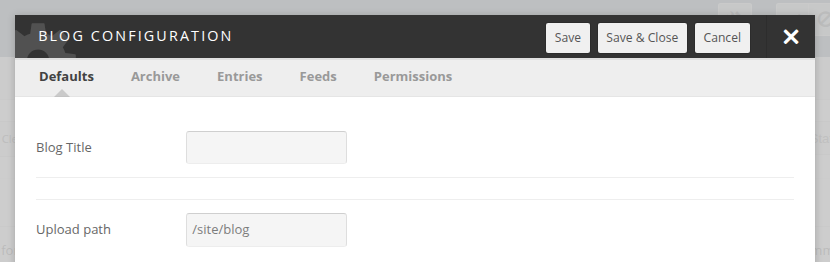
- A pop-up opens with one tab per group of settings.
- Change what you need and select Save & Close. Save keeps the pop-up open. Cancel discards the changes.
Changes take effect immediately, for everyone using the hub, with no undo and no confirmation. In practice that is fine: almost every option is a display choice or a default, and setting it back restores what you had.
Two kinds are not fine, and both look like all the others.
- Connection details. The middleware settings in the Tools component and the directory settings behind Site > LDAP are what those features run on. A wrong value stops the feature outright rather than changing it.
- Anything that decides who may do something. The Permissions tab described below, and options such as who may create a group or submit a resource, change what other people can do the moment you save. Nobody is notified, and the people affected only find out when something they used to be able to do stops working.
The Options button appears wherever the component's toolbar calls for
it, which for most components is the main list screen. It always opens the
same pop-up, built from the component's config.xml.
Permissions
Components that declare an access.xml get a Permissions tab in the
same pop-up. It sets, per user group, who may administer the component,
access its administrator screens, and create, edit, or delete its content.
These rules inherit from the site-wide grid on the Permissions tab of
Global configuration, and
override it for this component only.
What the options are
Every parameter of every component is listed, with its type and default, in
the generated
configuration reference.
That list is produced from the same config.xml files the pop-up reads, so
it always matches the screen.
Known problem: unnamed tabs
The pop-up names each tab from the fieldset's label in config.xml, or,
where there is none, from a language string built out of the fieldset name,
COM_CONFIG_<NAME>_FIELDSET_LABEL. The configuration component defines
that string only for basic and component, so any other unlabelled
fieldset needs the component's own language file to define it. The Members
component does, which is why its Login Settings, Password and
Registration tabs have names. A component that does not shows the raw
key as the tab title. The fields under such a tab work normally.
Rewritten and checked against 2.4-main @ 35f103b1b3 on 2026-09-10.